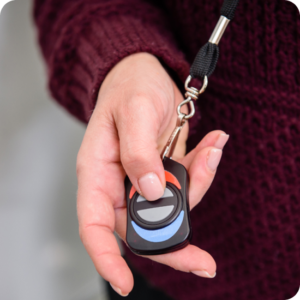
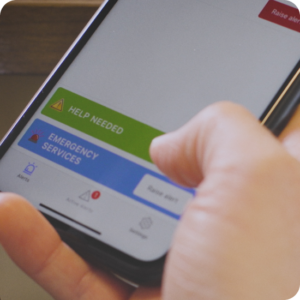
TeamAlert gives lone workers a discreet way to raise alerts in sensitive situations where an audible alert could further escalate a situation.
Conducting Drills
Conducting drills is at the heart of organizational safety. TeamAlert gives you the ability to safely conducts drills with all involved parties and document so you can review and improve.
Response Timeliness
Lone workers can reach the right resources instantly including yourself, your team, and your first responders.
Testimonials
“TeamAlert from our standpoint has been a game changer and made us feel a lot more safe than we would have if we didn’t have it.”
It’s just a very easy simple system and if we grow, the thing is just so scalable you just add the licenses. It’s good for small and it’s good for large. It works with all kinds of devices too. I thought your system was well thought out and scalable and very flexible.
Yes! TeamAlert can send and receive messages through wireless or wired internet connection AND cell phone service. We have hardware that will work with your cellphone!
Once you complete the required information, it is sent to us electronically. We then review your information and upload the information to our system after it has been approved. We do this for security purposes. You will then be notified via email to authorize your TeamAlert account. Once you have authorized your account, you can log in and configure the system for your first alert, which can be done in a few minutes.
Yes, we follow all current industry guidelines to protect your data. Please reach out to our technical support team if you have more questions on the levels of protection that we provide.
Yes, we’ll be happy to answer your questions. Just click the link below to schedule a demo. There, you can get your questions answered by our support team.
We use cookies to ensure that we give you the best experience on our website. If you continue to use this site we will assume that you are happy with it.
This website uses cookies to improve your experience while you navigate through the website. Out of these, the cookies that are categorized as necessary are stored on your browser as they are essential for the working of basic functionalities of the website. We also use third-party cookies that help us analyze and understand how you use this website. These cookies will be stored in your browser only with your consent. You also have the option to opt-out of these cookies. But opting out of some of these cookies may affect your browsing experience.
Necessary cookies are absolutely essential for the website to function properly. This category only includes cookies that ensures basic functionalities and security features of the website. These cookies do not store any personal information.
Any cookies that may not be particularly necessary for the website to function and is used specifically to collect user personal data via analytics, ads, other embedded contents are termed as non-necessary cookies. It is mandatory to procure user consent prior to running these cookies on your website.
Office Safety Toolkit: Practical Resources for Workplace Emergencies
Download TeamAlert Extreme Weather Guide for Offices