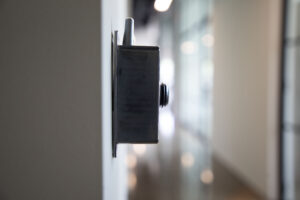
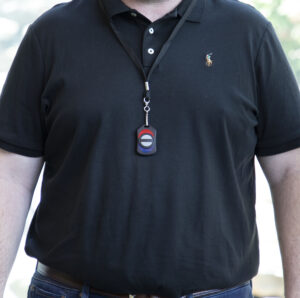
Simple emergency alert systems are built for the worst 10 seconds of a workplace incident—when stress spikes, attention narrows, and employees need a one-touch way to trigger help immediately. This post explains why complex, training-heavy workflows fail under pressure and how to evaluate “tap-to-alert” speed in realistic drills.
Why simple emergency alert systems beat complex workflows
Many workplace safety tools look powerful in a calm demo but break down in real incidents. The problem isn’t intent—it’s friction. If employees must remember steps, find the right screen, and confirm choices under stress, activation slows and hesitation grows.
Common failure points in complex systems include:
- Too many screens and choices before sending an alert
- Training-heavy workflows employees can’t recall instantly
- Unclear confirmation after pressing “send”
In practice, simple emergency alert systems reduce decision points so employees can activate help in seconds, not minutes.
What happens under pressure: a realistic scenario
An employee faces a threatening situation—an aggressive customer, a medical emergency, an intruder, or a safety incident in a back hallway. They need help immediately. But instead of one obvious action, they’re forced into a workflow: open an app, pick an alert type, select recipients, confirm, and hope the alert went through.
Under stress, decision-making can narrow and simplify. The more steps you require, the more you increase the odds of hesitation and delay. For additional context on how stress affects judgment and decision-making in emergency conditions, see this CDC/NIOSH overview: Judgment and decision-making under stress.

How simple emergency alert systems reduce cognitive load and response time
Simplicity isn’t “less capable.” It’s intentionally designed for the moment employees can’t spare attention. The best systems reduce cognitive load by removing choices and compressing action into a single, repeatable motion.
Fast activation matters because delays can change outcomes. In time-critical emergencies like cardiac arrest, the American Heart Association notes survival chances decrease by about 10% per minute without CPR—one reason organizations train for immediate action: AHA AED fact sheet.
Key design principles for one-touch emergency alerts
- One action triggers response: no multi-step workflows.
- Clear interface: one obvious “get help” action with minimal distractions.
- Immediate feedback: users can see that the alert was sent and help is being notified.
- Consistent experience across devices: the same activation pattern on mobile, desktop, and wearables.
- Practice-ready: drills should be easy to run so teams build muscle memory.
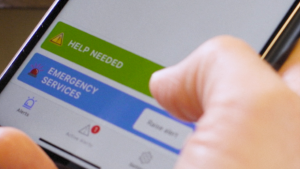
How to evaluate simple emergency alert systems with a 30-second drill
Want an objective way to compare systems? Run a 30-second activation drill with a small group.
- Start with the phone locked (real-world constraint).
- Ask the employee to trigger an alert one-handed.
- Do not coach them.
- Time “tap to confirmation.”
If employees hesitate, ask what to do, or can’t confirm the alert went through, you don’t have a training problem—you have a usability problem.
TeamAlert and simple emergency alert systems in the workplace
TeamAlert is built around fast, discreet activation so employees can get help without navigating complex workflows.
If you’re comparing vendors, prioritize simple emergency alert systems that support one obvious action for activation, immediate confirmation, and fast team coordination.
- See the emergency alert system overview: TeamAlert emergency alert system
- For organization-wide deployments: panic button system for organizations
- Get the planning resource: Safety Manager’s Playbook
- Try it: start a free trial
Compliance and safety resources
If you’re building or updating a safety program, these official references are useful starting points:
- OSHA: Emergency Action Plans (29 CFR 1910.38)
- OSHA: Employee Alarm Systems (29 CFR 1910.165)
- CDC/NIOSH: Judgment & decision-making under stress
Final takeaway: in emergencies, simple wins
The best system isn’t the one with the longest feature list. It’s the one employees can use instantly, confidently, and without thinking—because when something goes wrong, simplicity saves time.

Still Unsure About a Panic Button?
Contact us for more information to make the best decision for your office wireless panic button.
info@teamalert.com or 800-533-7201 M-F 8-5 pm CST